
For some pension providers, it is possible to bulk authorise schemes so that you don’t need to link each one individually. This is possible for the following providers:
Nest
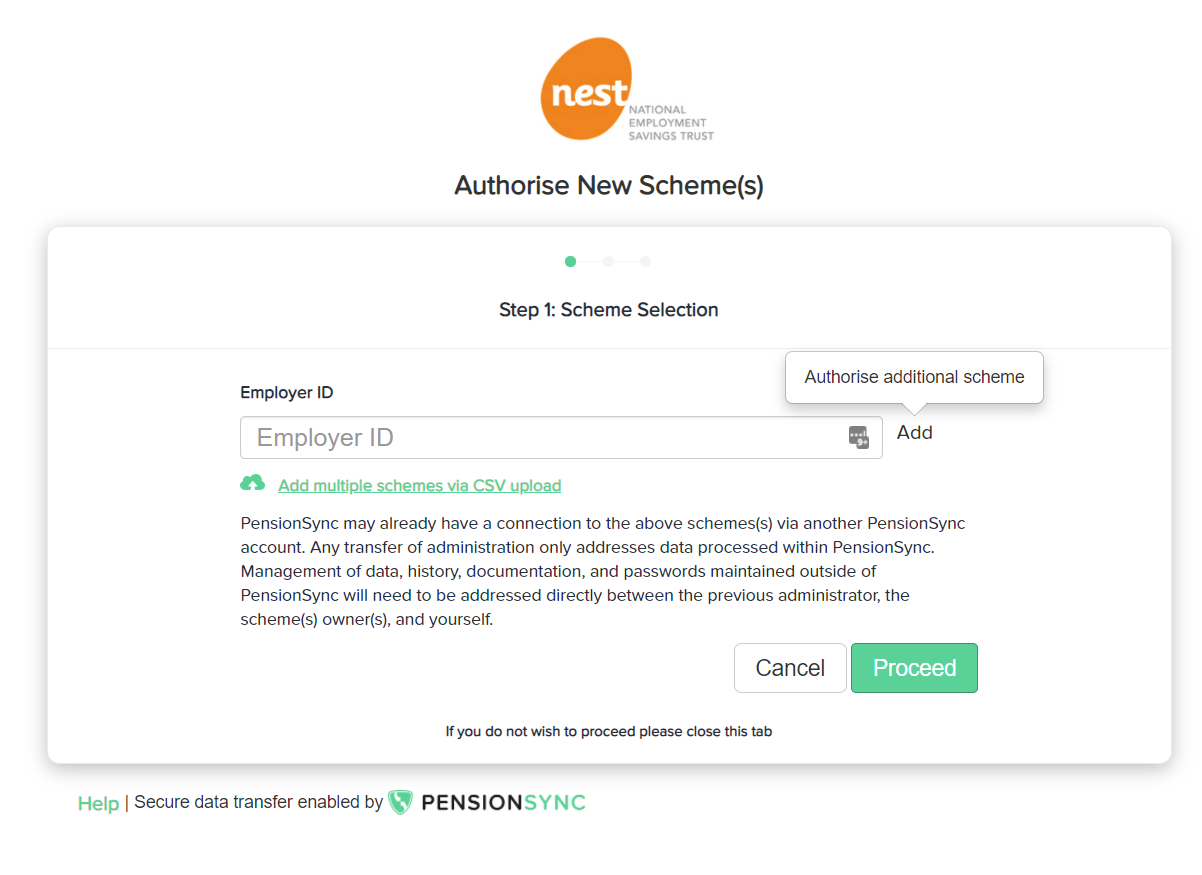
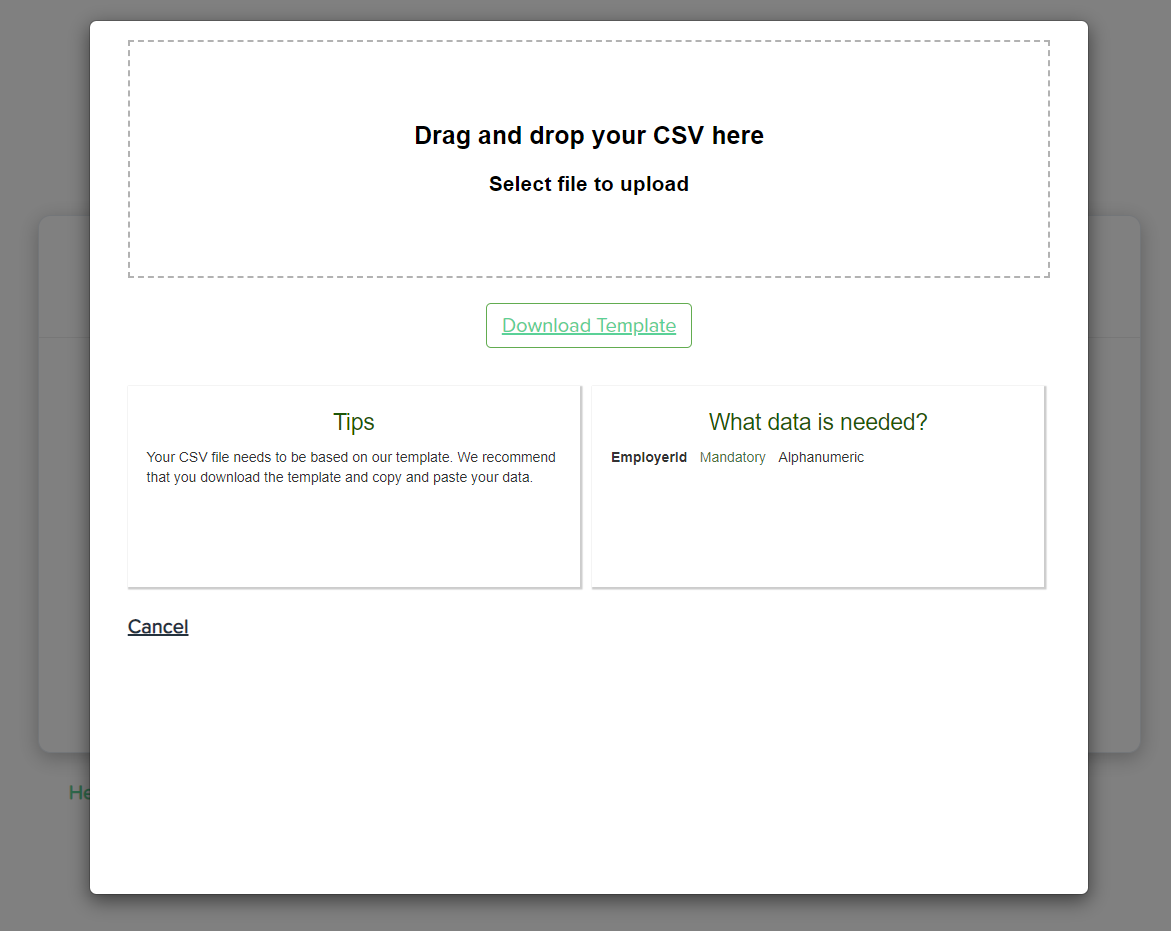
You can either upload a file or manually enter as many Nest EmployerIDs as you like, as long as you use the same Delegate or Nest Connect user account to manage them all.
People’s Pension
When you link any People’s Pension scheme, PensionSync checks to see if you have access to any other People’s Pension schemes. You will be presented with a full list of all the schemes you have access to, and you can pick from the list (including a select all option) which schemes you want to link to PensionSync.

Smart Pension
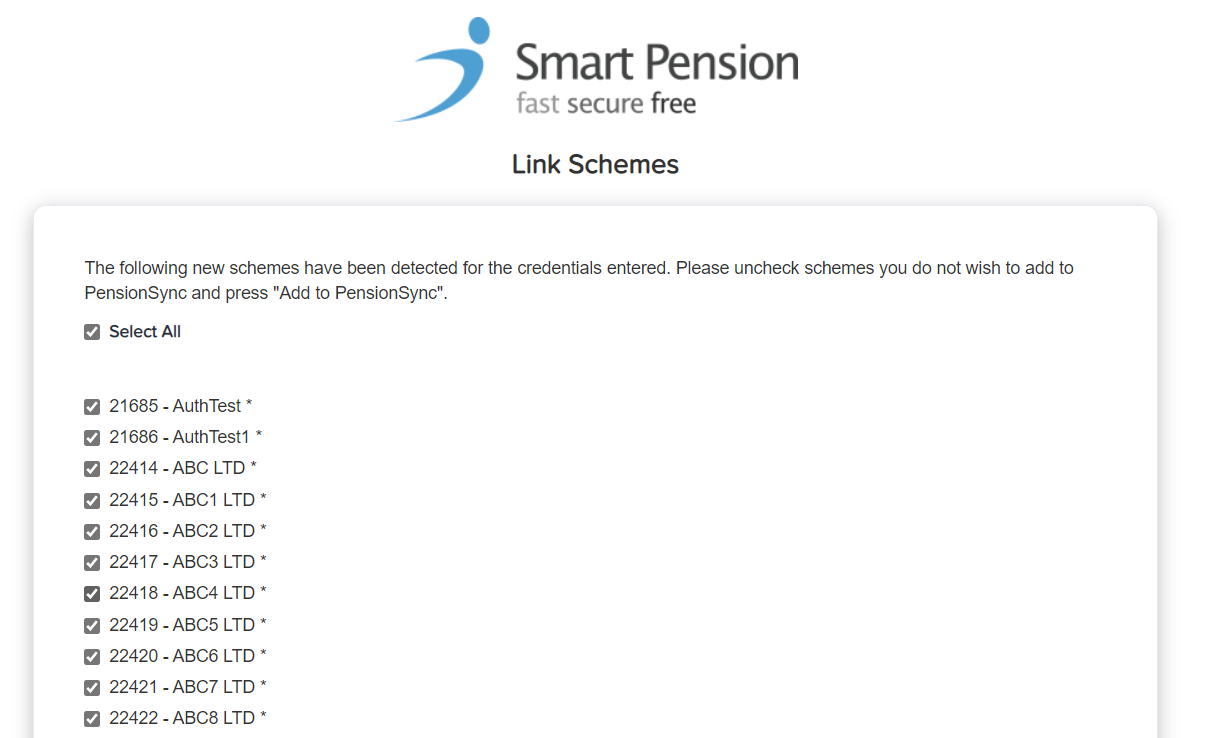
When you link any Smart Pension scheme through an adviser / bureau account, PensionSync checks to see if you have access to any other Smart Pension schemes. You will be presented with a full list of all the schemes you have access to, and you can pick from the list (including a select all option) which schemes you want to link to PensionSync.
Re-authorisation
Occasionally, you may need to reauthorise a link to a scheme. This typically happens if your password or other account details with the pension provider have changed. Re-authorisation can be completed quickly and easily through the PensionSync Dashboard. The main Dashboard overview shows whether your schemes are currently authorised or not, and if re-authorisation is required this will be displayed in the Required Actions column. Simply click the button supplied to access the PensionSync Authorisation Gateway to re-authorise the link.
Please note - NOW: Pensions require re-authorisation every 3 months. Because of this, when you re-authorise any NOW:Pensions scheme, PensionSync automatically re-authorises any other schemes you have linked to PensionSync through the same NOW:Pensions account.
Comments
0 comments
Please sign in to leave a comment.